Customer contact
AI-powered sales follow-up
Enquiries go cold because follow-up depends on someone remembering.
The problem
Why it happens.
Follow-up is easy to plan and hard to do consistently. Enquiries arrive from forms, adverts, directories and the phone at all hours, and each one asks a person to stop what they are doing and reply. When the team is busy with existing customers, new enquiries wait, and the longer they wait the more likely the person has already spoken to someone else.
The second and third follow-up are where most effort is lost. A first reply often happens, but checking back in after a quote or a missed call depends on someone remembering, and there is rarely a list showing who is still waiting. Without one place for every enquiry and a set schedule for the next step, follow-up comes down to good intentions.
Signs you have this problem
- Enquiries arrive in three or four different places and nobody owns all of them.
- A lead that came in on Friday evening gets a reply on Monday afternoon.
- You pay for leads but cannot say how many were followed up.
- Quotes go out and nobody checks back in.
- Salespeople chase the newest enquiry while the older ones go cold.
The answer
In plain terms.
An enquiry is at its warmest in the first few minutes. After that it competes with every other business the person contacted. AI-powered follow-up makes the first reply immediate and the next steps automatic: a message, a reminder, an offer of a time to talk. The sequence stops as soon as the person replies, so nobody gets chased after they have already answered.
What changes
Every enquiry gets a reply and a next step.
How it works
- 01
Find every way enquiries arrive
Web forms, adverts, calls, emails and directories. Each one is routed into the same place.
- 02
Reply straight away
Each new enquiry gets an immediate response by text, email or call, written in your tone and asking the next useful question.
- 03
Follow up on a schedule
If there is no reply, reminders go out at agreed intervals and then stop. Every message is logged against the contact.
- 04
Book or hand over
Interested leads are offered a time from the real diary, or passed to a salesperson with the history attached.
A typical rollout
From first call to live.
Timings are a rough guide. They depend on your systems, your availability and what the discovery work finds.
- 01 · First week
Map the sources
We list every way enquiries arrive and route each one into a single pipeline in your CRM or Nexus One.
- 02 · The week after
Write the first reply and sequence
You approve the immediate reply, the reminder messages, their timing and the point at which the sequence stops.
- 03 · Within the first month, as a rough guide
Connect booking and go live
Booking links are tied to your real calendar, the sequence is tested with dummy enquiries and then switched on for live leads.
- 04 · Monthly
Review the pipeline
We look at where leads stall and adjust the messages, the timing or the handover points.
What you get
- One inbox or pipeline for every enquiry source
- Immediate first replies for new enquiries
- Follow-up sequences that stop when a person replies
- Booking links tied to your real calendar
- A pipeline view showing where each lead stands
What it connects to
- Website forms
- Ad platforms and lead sources
- CRM
- Calendar
- Email and SMS
Who it suits
- Businesses that pay for leads and lose some to slow replies
- Sales teams too busy on the phone to chase every enquiry
- Quote-based businesses where follow-up decides who wins the work
A typical example
How it plays out.
A home improvement company gets enquiries from its website, a directory and social adverts, and each lands somewhere different. With follow-up in place, every enquiry goes into one pipeline, gets a reply within moments asking what the job is and when suits, and is offered a survey slot. Anyone who has not replied gets a reminder a day later and another later in the week, and the sequence ends there or as soon as they answer.
A generic scenario to show how the work runs. It does not describe a specific client.
Measuring it
How you know it is working.
- Time from enquiry to first reply
- Speed is the main reason to automate the first response. Measure it per source so the slow routes stand out.
- Enquiries with a next step booked or agreed
- A fast reply only matters if it leads somewhere. This shows whether conversations are moving forward.
- Where leads stop responding
- Seeing which message or stage people drop off at tells you what to rewrite or when to hand over to a person.
- Opt-outs and complaints
- A rise suggests the sequence is too long, too frequent or off-tone. It is an early warning worth checking each month.
- Enquiries and won work by source
- With everything in one pipeline you can see which sources produce enquiries that turn into work, which helps you decide where to spend.
Risks and safeguards
What could go wrong, and what stops it.
Risk
People are chased after they have replied.
Safeguard
Every sequence stops the moment a person replies or books, and anyone on the team can pause it for a contact.
Risk
Messages break marketing rules.
Safeguard
Follow-up sticks to the enquiry the person made, uses the details they gave and includes a clear opt-out, with UK GDPR and PECR in mind.
Risk
Automated messages sound wrong for the business.
Safeguard
Every message is written in your tone and approved by you before it is used, and the wording is reviewed as replies come in.
Risk
A keen lead waits on a sequence when it needs a person.
Safeguard
Handover rules send replies that show strong interest, or questions the messages cannot answer, straight to a salesperson with the history attached.
Risk
A booking is offered for a time nobody can attend.
Safeguard
Booking links read the live calendar and only offer the slots and appointment types you allow, within the working hours you set.
Questions
What people ask about this.
Will automated follow-up annoy people?
The sequences are short, written in your voice and stop the moment someone replies. People who have asked for a quote usually expect to hear back.
Do I need a new CRM?
Not necessarily. We can often build this on the CRM you already have. Nexus One is an option when the current setup cannot do the job.
Can it book appointments directly?
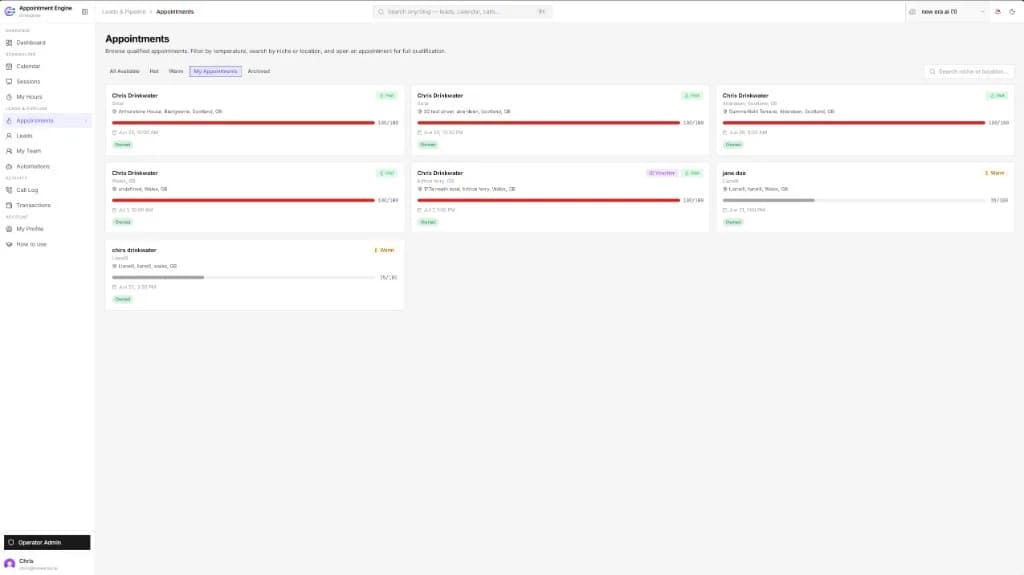
Yes, when it is connected to your calendar or a booking product such as Appointment Engine, within the rules you set.
Which channels can follow-up use?
Text, email and calls are the usual options, and WhatsApp where your CRM supports it. The first reply normally goes out on the channel the enquiry came in on.
What about enquiries that arrive by phone?
Calls can be logged as enquiries and enter the same pipeline as forms and adverts. If you use Echo One, the call outcome and transcript are added to the record automatically.
Are we allowed to message people who enquired?
Replying to someone who has asked for a quote or information is normally expected. Marketing to people who have not asked is covered by stricter rules under PECR and UK GDPR, so sequences stick to the enquiry the person made and include a clear way to opt out.
Read the detail
Next step
Start with the free AI Opportunity Assessment.
A short, no-obligation conversation about where your business is losing enquiries, hours and revenue. You do not need to choose a package first, and whatever we find carries straight into your audit, so your first paid day starts from evidence.